Create an invoice from a breakout deal
Some products are kits — one thing you sell, made up of several things you ship. On the invoice, a kit opens up so the customer can see everything included, without being charged twice.
The steps are the same as Create an invoice from a basic deal. Read that one first — this covers only what's different.
The worked example below is a real invoice.
What you'll end up with
A deal for 25 AP4 Trainer LTW kits plus 1 Cooperative Coparenting Parent Guide starts at $1,999.95 — full list price. The finished invoice comes to $2,012.40, made up of:
- Cooperative Coparenting Parent Guide, 1 × $24.95 — $24.95
- AP4 Trainer LTW, 25 × $79.00 — $1,975.00
- Active Parenting 4th Ed Leader's Guide, 25 × $0.00 — $0.00
- Active Parenting 4th Ed Guide/Workbook Combo, 25 × $0.00 — $0.00
- Shipping & Handling — $10.95
- Sales Tax — $1.50
The two $0.00 lines are the contents of the kit. You never added them — they appeared when the invoice was revised.
Steps
1. Create the deal and add the products
Exactly as for a basic deal: create the deal, associate the Contact and the Company, leave Amount blank.
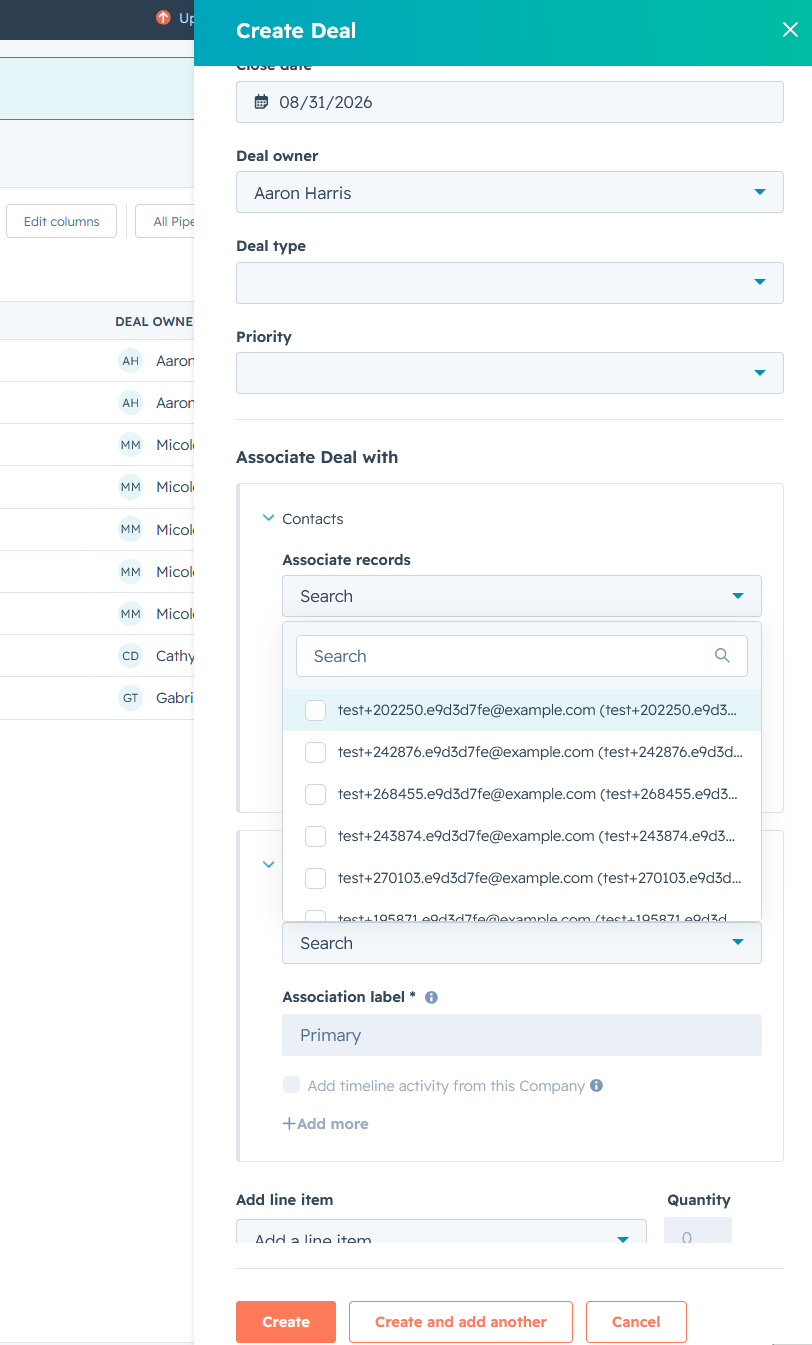
Add the kit the same way as any other product — search, check the SKU, tick it, set the quantity. Watch for lookalike SKUs here too.
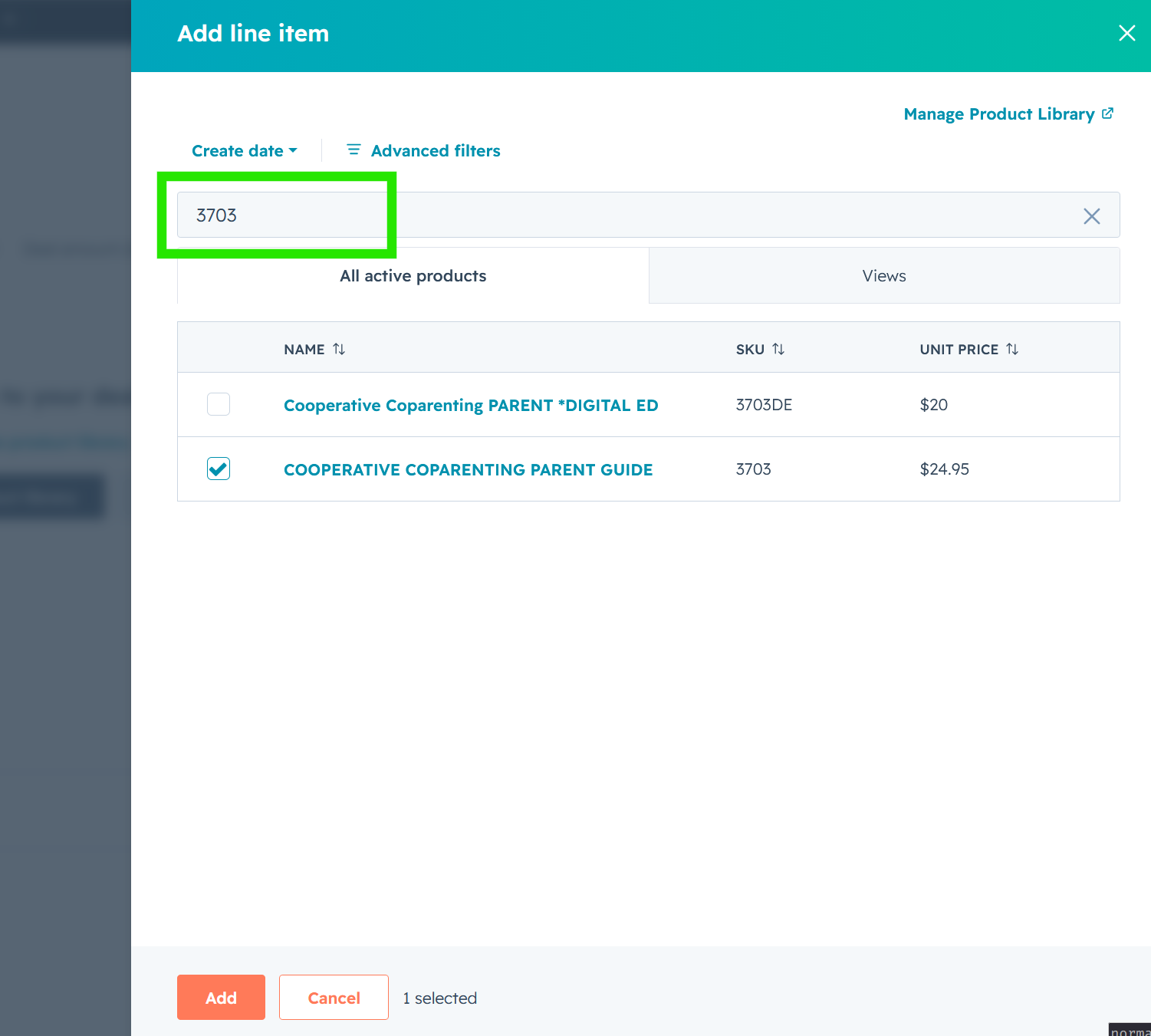
Answer Update deal amount when prompted.
On the deal, the kit is still one line at $1,975.00. Nothing has opened up yet — that happens when you revise.
2. Convert the deal to an invoice
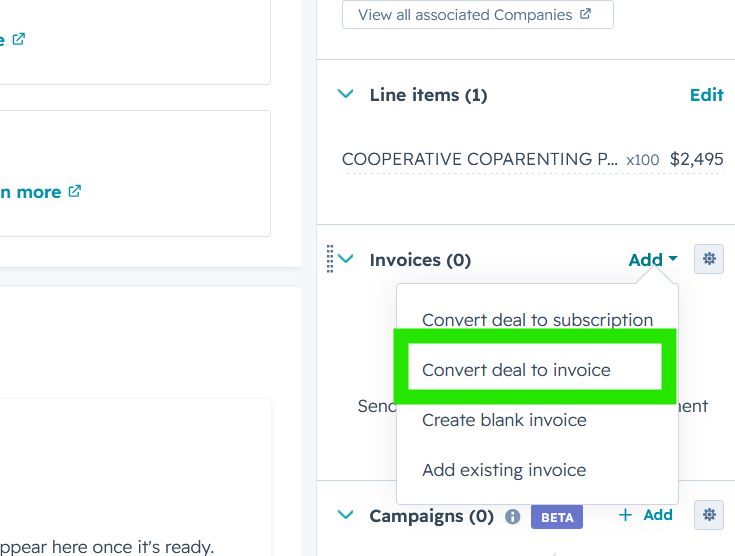
Invoices panel → Add → Convert deal to invoice, then click Create.
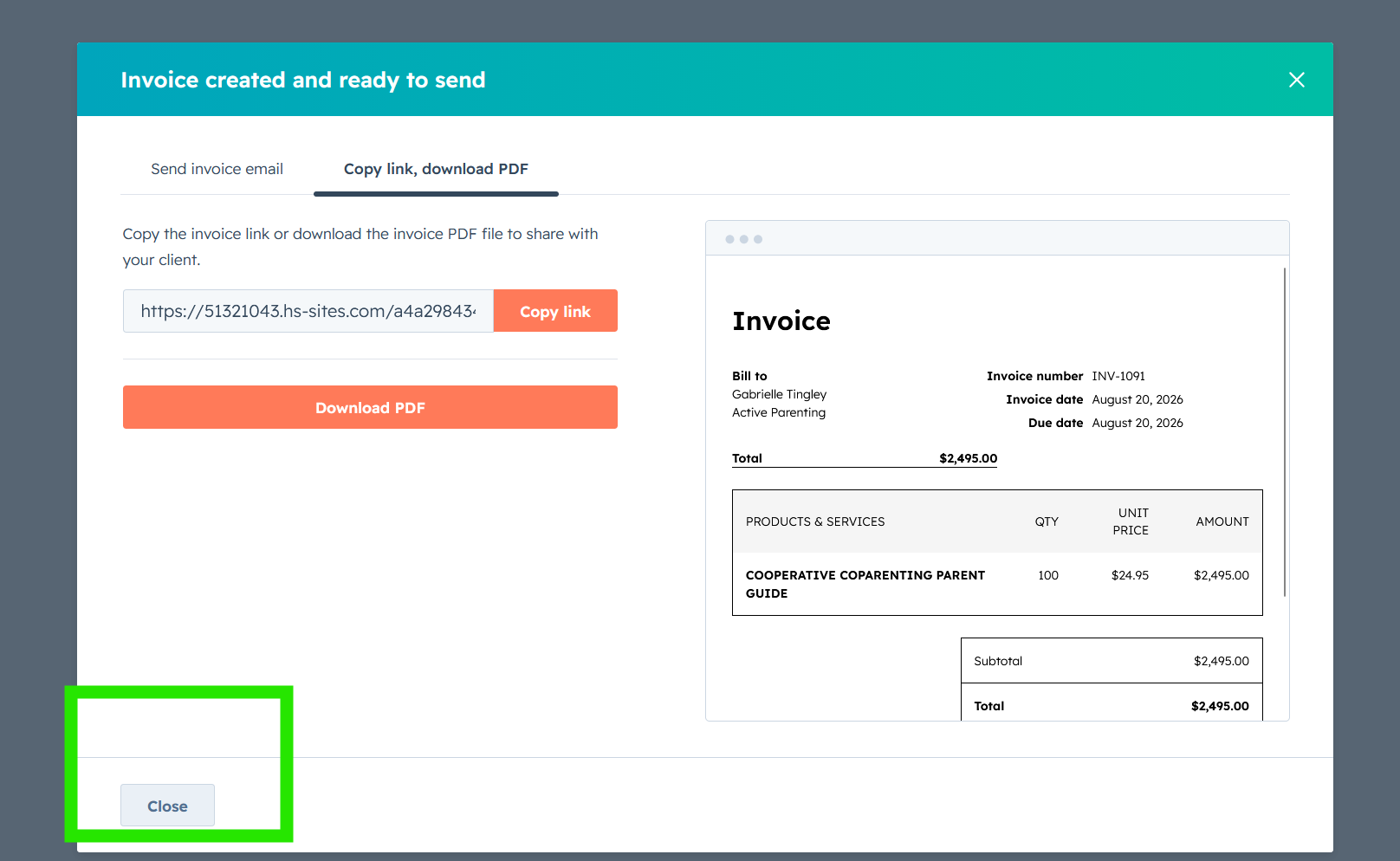
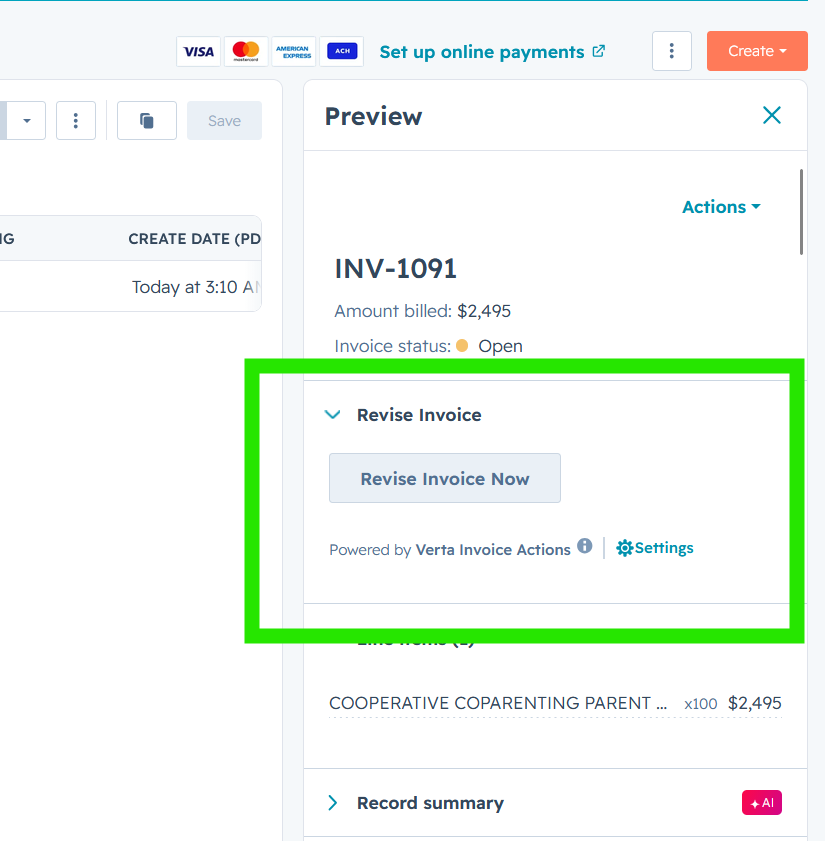
Don't send anything yet — the invoice has no kit contents, no shipping and no tax at this point. Click Close.
3. Revise, and watch the kit open up
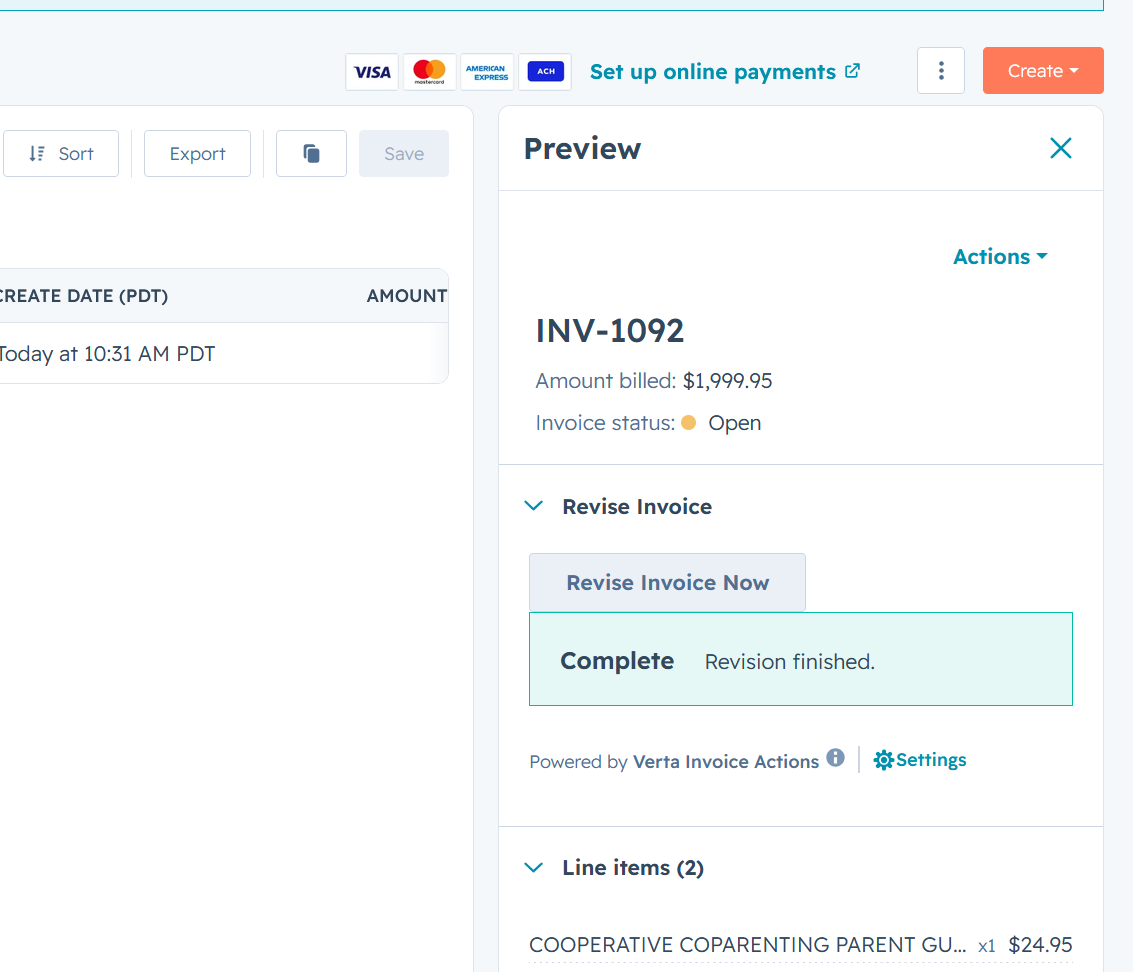
Go back to the deal, click through to the invoice, and click Revise Invoice Now.
Wait for Complete, then refresh the page.
4. Check the finished invoice
The kit line is still there at $1,975.00, and underneath it two new lines have appeared:
- Active Parenting 4th Ed Leader's Guide — 25 × $0.00
- Active Parenting 4th Ed Guide/Workbook Combo — 25 × $0.00
They're $0.00 on purpose. The customer already paid for them as part of the kit price. Showing them means the customer can see exactly what's arriving, and the warehouse knows what to pack — without charging twice.
Shipping and sales tax are added the same as on any other invoice.
Total: $2,012.40
What to expect with kits
The contents only appear after revising. On the deal, and on the invoice before you revise, a kit is a single line. That's normal.
Contents are always $0.00. If you see a price on one of them, don't send the invoice — flag it.
Some kits contain other kits. You may see more lines than you expected. That's fine.
Shipping on kit-heavy orders can look low. In this example $1,975.00 of kits produced $10.95 of shipping, because the kit is set up as a service rather than a physical product, and services aren't charged shipping. This is a rule we're still refining — if a customer queries it, don't improvise, check first.
If something doesn't look right
- The kit didn't open up — make sure the revision finished, then
refresh.
- A kit content line has a price on it — stop, don't send it, and flag
it.
- Shipping looks too low — see the note above. Flag it rather than
adjusting it yourself.
- The total looks stale — refresh the page. It doesn't update on its own.
- No sales tax line — normal if the customer isn't somewhere we collect
sales tax.
See Submit an issue if you need to flag something.