FAQ
Where do I start?
Start in HubSpot.
Create the invoice there first. Add the customer, add the line items, check the invoice total, and save it.
After that, give the HubSpot to QuickBooks sync a few minutes. Before running shipping, check that the invoice has synced to QuickBooks.
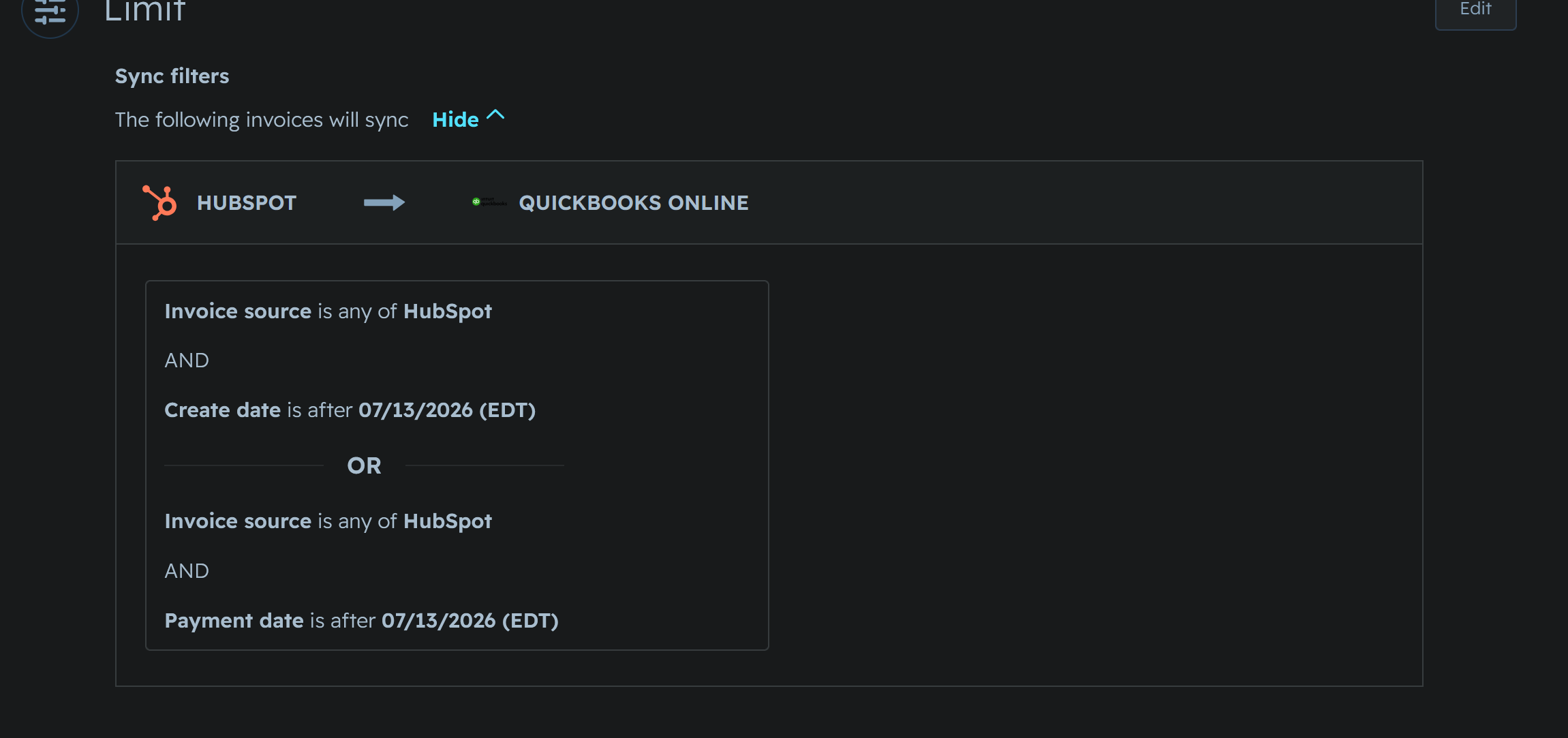
If the invoice is not in QuickBooks yet, wait and check again. If HubSpot shows a sync error, fix that before running shipping.
What do I do before running shipping?
Make sure the invoice exists in QuickBooks and looks current. Shipping uses QuickBooks as the source for invoice state, so a recent HubSpot change may not be ready immediately.
What if I changed an invoice in HubSpot?
Wait for the HubSpot to QuickBooks sync, then confirm the invoice in QuickBooks before doing shipping work.
How is shipping calculated? Why is there no tax line yet?
Shipping is a placeholder — 10% of the invoice's discounted merchandise subtotal (after any volume pricing is applied), with a $10.95 minimum. For example, 30 units of an item that lists at $14.95 but qualifies for a $13.95 volume-tier price comes to a $418.50 subtotal, not $448.50 — shipping is 10% of that $418.50 ($41.85), not of the list-price total. It is not a real carrier rate yet, and it doesn't model promotions on its own — a real free-shipping offer on the original order won't show as free here unless the invoice's Free Shipping checkbox is set explicitly. Tax only appears after the invoice has opened and synced to QuickBooks, and only for states where the business collects sales tax — a still-draft invoice, or one shipping to a state without tax nexus, will correctly show no tax line. See How shipping and tax are calculated for the full breakdown, including calculation order.
Why isn't this specific item taxed?
Two different, unrelated things can cause this, and they look identical on the invoice. First, the ship-to state may not be one we collect tax in — see the state list in How shipping and tax are calculated; a customer outside those states will correctly show $0 tax. Second, the specific item may not be marked taxable even in a state where we do collect — this mostly affects webinars, online classes, and other "Service"-type items, and is a known, tracked gap rather than a one-off mistake (see Issues, ISSUE-44). If you're testing in AP Trial 3, a missing tax can also mean the item's SKU isn't in this trial's product catalog yet, which is a separate, also-tracked cause (ISSUE-43) — see the Testing Guide for how to check.
I typed a different address on the invoice — why did it change after I revised it?
If the associated contact already has an address on file, revising the invoice replaces whatever's currently on the invoice with the contact's stored address — even if you'd already typed in a different, correct one, and without any warning that it happened. This is intentional for invoices that start with no address at all, so they don't stay blank, but it doesn't yet distinguish that case from one where you've already made a manual correction — that's a known, tracked gap (see Issues, ISSUE-45). For now, if an invoice needs an address that differs from the contact's own record, expect it to be overwritten on the next revision — fixing the address on the contact record itself is more durable than fixing it on the invoice directly.
The invoice says "Revision is taking longer than usual" — is it stuck?
Not necessarily. That message means the app couldn't confirm completion within the normal check-in window — it does not mean the revision failed, and in at least one confirmed case the revision had already finished successfully well before this message ever appeared. The most reliable way to check is to re-open the invoice a minute or two later and look at the actual line items directly — if shipping, tax, and any tier pricing look right, it worked, regardless of what the button said. This message itself is a known, tracked issue (see Issues, ISSUE-46).
Where do I get the product list?
Export it from the Items page (Main, then Items, then Export Items from QBO). That export is the product list: it is read from QuickBooks at the moment you take it, it is the file the app itself uses to make changes, and it carries an Export ID saying when it was taken. Do not trust an older copy; export again.
Step by step, and what the columns mean: How to Get the Product List. Where the list comes from in the first place: What happens during rollout product push.
How do I report a bug?
Email the issue to Aaron.
Use Submit an Issue for what to include.